WPML 3.9 – Documentation update
WPML introduces a new translation mode called – display as translated – compatible with Kallyas and invaluable for developers using Kallyas demos.#
→ Particularly useful for the websites with a lot of contents such as WooCommerce sites and all your e-commerce demo such as Cosmetics, Shop watchs etc.
About the ‘display as translated’ feature: #
- Users can show original content if no translation is available.
- Users can display untranslated content without the need to duplicate it anymore.
- Useful for sites that don’t need to translate everything: listing, directory and membership sites as well as WooCommerce products and taxonomies.
Example:#
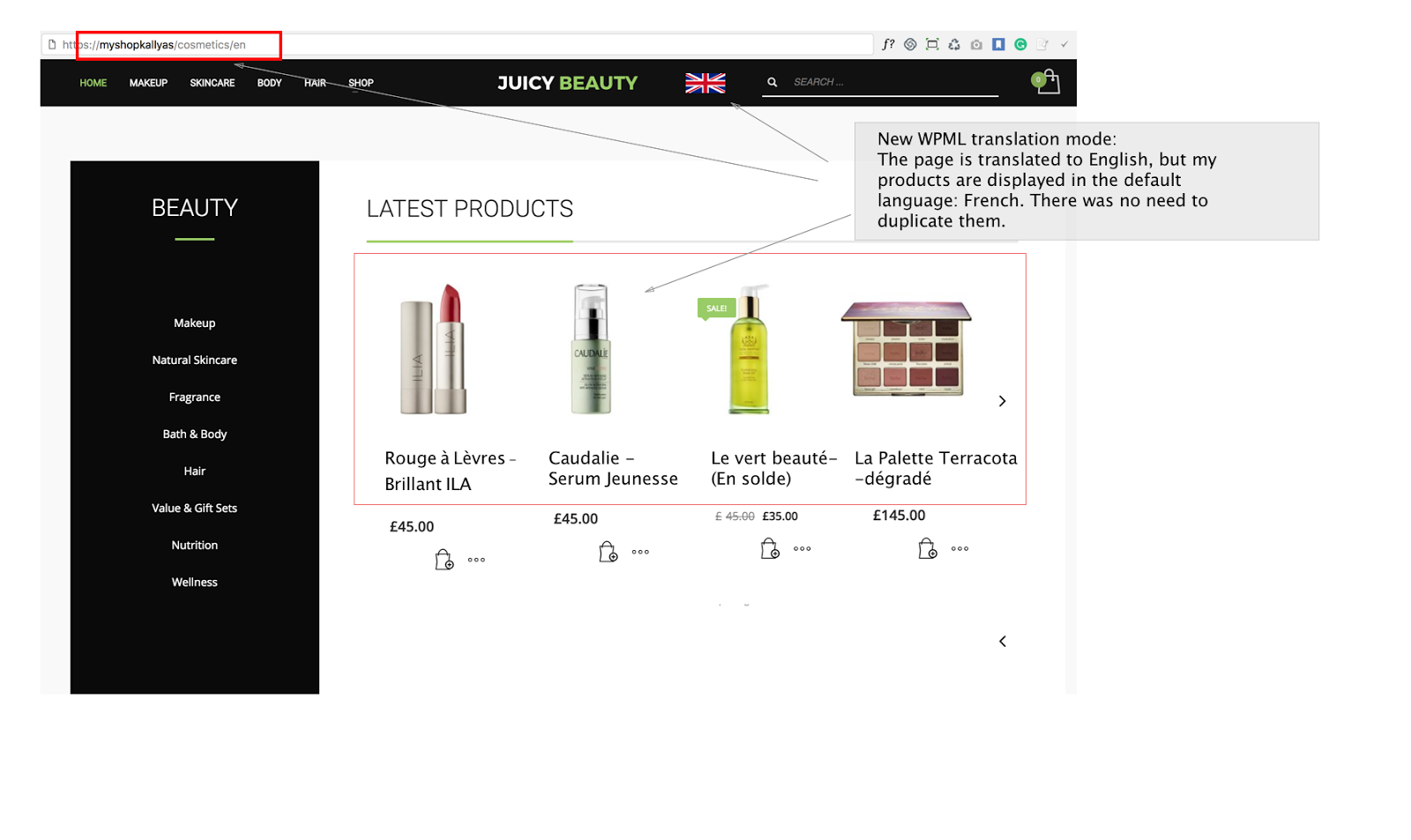
Let’s say we have a WooCommerce site in French and we don’t want to translate all the products to English.
Thanks to this new mode, we can have our page translated to English but still containing some content in French without duplicating it:
To sum up:
|
How to enable this new translation mode for the post types of your choice: #
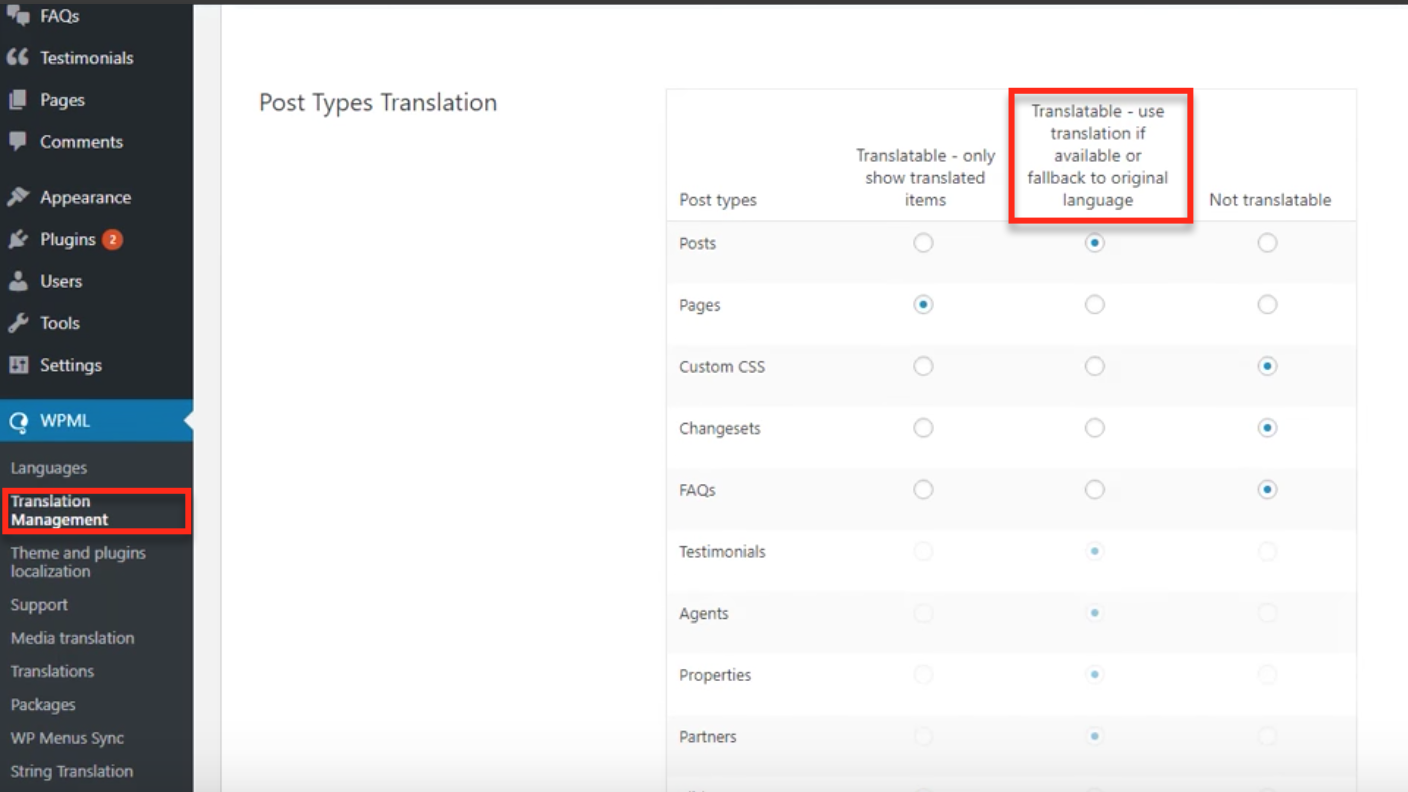
- Go to WPML > Translation Management > Multilingual Content Setup
- Scroll down to Post Types Translation
- Select “Translatable – use translation if available or fallback to original language” option for the post types of your choice.
If you need help with WPML you can always hire an expert